Second Payment Reminder Email Template
The second email is where chasing either works or becomes awkward. Change three things — the ask, the subject line and the date — and it stays professional.
Subject line ideas
The subject line decides the open rate — pick the one that fits best.
Email templates by tone
Choose the tone that fits your relationship and situation, then replace the [placeholders] and send.
Subject:Re: Invoice [Invoice #] — still showing unpaid
Subject: Re: Invoice [Invoice #] — still showing unpaid

Hi [Client Name],

Following up on invoice [Invoice #] for [Amount], which was due [Due Date]. My records still show it outstanding.

I assume it simply slipped. Could you let me know the date it’s scheduled for, so I can mark it and stop emailing you about it?

The invoice is attached again in case it went missing.

Thanks,
[Your Name]
Subject:Invoice [Invoice #] — can you confirm a payment date?
Subject: Invoice [Invoice #] — can you confirm a payment date?

Hi [Client Name],

I’m not chasing the money today — I just need one answer on invoice [Invoice #] for [Amount], due [Due Date]:

Is it approved and scheduled, or is something holding it up?

If it’s waiting on an approval, a PO number or a form from my side, tell me which and I’ll sort it today. If it’s scheduled, a date is all I need.

Best,
[Your Name]
Subject:Did invoice [Invoice #] reach you?
Subject: Did invoice [Invoice #] reach you?

Hi [Client Name],

I sent invoice [Invoice #] for [Amount] on [Send Date] and haven’t heard back, so I wanted to check it actually landed — these things go to spam or get forwarded to someone who left.

It’s attached again. If it’s sitting approved somewhere, could you tell me when payment goes out? If it needs to go to a different address or through a portal, send me that route and I’ll resubmit it.

Thanks,
[Your Name]
Subject:Second notice: invoice [Invoice #], [Amount], due [Due Date]
Subject: Second notice: invoice [Invoice #], [Amount], due [Due Date]

Hi [Client Name],

Invoice [Invoice #] for [Amount] was due [Due Date] and is now [14] days outstanding, following my email of [First Reminder Date].

Please settle it by [New Date], or reply before then with the date it is scheduled for.

If there’s a problem with the invoice itself — the scope, the rate, the tax treatment — I’d rather hear that now and fix it than keep sending reminders.

Regards,
[Your Name]
Subject:Invoice [Invoice #] — [14] days outstanding
Subject: Invoice [Invoice #] — [14] days outstanding

Hi [Client Name],

Invoice [Invoice #] ([Amount]) is fourteen days past its due date and I’ve now written twice.

Could you give me a payment date today? If it’s easier, I’m fine with [Amount] on [Date 1] and the balance on [Date 2] — but I need one of those in writing.

I’d rather this stays a bookkeeping matter. If something’s wrong at our end, tell me and I’ll correct the invoice within the day.

[Your Name]
What to change in a second payment reminder
A second payment reminder is the email you send when the first one produced nothing — no payment and no reply. That silence is usually one of four things: the invoice never reached the person who pays it, it reached them and got buried, it is approved but parked in a payment run with a date you don’t know, or there is a problem with the invoice that the client is avoiding raising. A good second email is built to tell those four apart, which is why sending the first one again, only crosser, so rarely works.
The reframe that does most of the work is to ask for a status instead of a payment. “Can you confirm the date it’s scheduled for?” is a smaller request than “please pay”, it costs the client nothing to answer, and the answer tells you whether you are chasing admin or chasing a problem. Once someone has written you a date, the invoice is far more likely to be paid, because they have committed in writing and know you have it.
Rewrite the subject line so the second email is not invisible. “Re: Invoice 2041 — still showing unpaid” or “Invoice 2041 — can you confirm a payment date?” both carry more weight than the original “Invoice 2041”, and replying underneath your first message keeps the whole history in one place without you having to restate it.
Set the escalation point before you need it. Standard practice is a first reminder a few days after the due date, a second at around two weeks, and a final notice at thirty days with the consequence named — late fees, work stopped, or debt collection. If the second email goes unanswered as well, stop emailing: a phone call to the accounts contact outperforms a third reminder, and the written record you now have is what makes the final notice credible rather than theatrical.
The four things a second reminder must do
- State the invoice number, the amount and how many days overdue it is — no vagueness.
- Reference the first email and its date, so the sequence is on the record.
- Ask one answerable question: a payment date, or the reason there isn’t one.
- Re-attach the invoice and repeat the payment details in the same message.
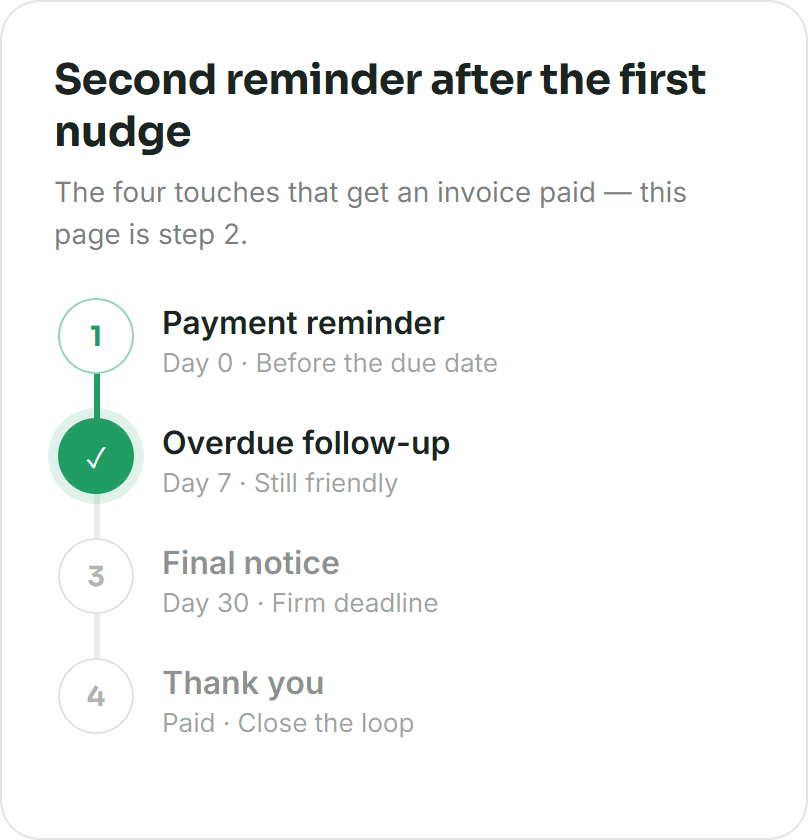
Keep the sequence going: polite payment reminder wording, 7-day overdue reminder, 30-day final notice.
Frequently asked questions
When should I send a second payment reminder?
Three to four business days after your first reminder if the invoice is small, and at around the fourteen-day mark if it is large or the client normally pays late. Sending the second one the day after the first reads as panic; waiting a month reads as permission.
Do I attach the invoice again?
Always. The most common honest reason for silence is that the invoice is buried in a downloads folder or went to an address that no longer works. Re-attaching costs you nothing and removes the only excuse that is easy to accept.
What if they say they will pay and then don’t?
Quote their own date back to them, politely and in writing: “You mentioned payment on the 3rd — it hasn’t landed, so I wanted to check whether it slipped or something changed.” A broken commitment is a different conversation from an unanswered invoice, and it is usually the one that finally gets money moved.
Should I mention late fees in the second email?
Only if your terms already state them and you intend to apply them. A conditional threat you will not enforce weakens the third email. If you do mention it, put it in factual terms — “a late fee of [X] applies from [Date] under our agreed terms” — and keep the rest of the message neutral.
What comes after the second reminder?
A phone call, then a final notice that names a deadline and what happens after it. The [30-day final notice template](/tools/templates/final-notice-30-days) covers that stage, including how to state consequences without sounding like a threat.
What actually changes in a second reminder
- Reply to your own first email, so the thread and the date are visible without anyone searching.
- Attach the invoice again. Every time. Removing a step is removing an excuse.
- Ask for a date rather than for money — a date is a small answer, and small answers get given.
- Give one concrete way out: a payment plan, a corrected invoice, a different billing contact.
- Drop the filler. “Just circling back”, “sorry to bother you” and “when you get a chance” all make it easier to ignore.
- Put your name and phone number in the signature so a payment manager can resolve it without an email chain.
More free templates
Want it personalized in 30 seconds?
Enter the amount, due date and client name — get a tone-matched draft instantly.