Invoice Email Template
The PDF is the document; the email around it is what gets the invoice opened, forwarded to the right person and paid. These five cover the sends that actually happen.
Subject line ideas
The subject line decides the open rate — pick the one that fits best.
Email templates by tone
Choose the tone that fits your relationship and situation, then replace the [placeholders] and send.
Subject:Invoice [Invoice #] — [Project Name], due [Due Date]
Subject: Invoice [Invoice #] — [Project Name], due [Due Date]

Hi [Client Name],

Thanks for a good run of work on [Project Name]. Invoice [Invoice #] is attached for [Amount], due on [Due Date].

It covers [what the invoice covers — e.g. the design phase, 3–17 March]. Bank transfer and card are both fine; the details are in the footer of the invoice.

If your accounts team needs anything changed — a PO number, a different description, a tax form — tell me today and I’ll reissue it rather than have the payment stall.

Best,
[Your Name]
Subject:Invoice [Invoice #] from [Your Business Name] — PO [PO Number]
Subject: Invoice [Invoice #] from [Your Business Name] — PO [PO Number]

Good afternoon,

Please find attached invoice [Invoice #], dated [Date], for [Amount], against purchase order [PO Number] for [Service Name].

For your records: supplier registration [Number], service period [Start Date]–[End Date], terms net [14/30] days from receipt. Bank details are on the invoice.

Could you confirm the scheduled payment date and the remittance reference you’ll use? If the invoice needs to arrive in a different format or through a portal, I’m happy to resubmit it that way.

Kind regards,
[Your Name] — [Your Business Name]
Subject:Invoice [Invoice #] — [Amount]
Subject: Invoice [Invoice #] — [Amount]

Hi [Client Name],

Invoice [Invoice #] attached for [Amount], due [Due Date]. Same terms as the last one.

Thanks — good to have [Project/ Deliverable] out the door.

[Your Name]
Subject:Invoice [Invoice #] — pay here when convenient
Subject: Invoice [Invoice #] — pay here when convenient

Hi [Client Name],

[Project Name] is delivered, so here is invoice [Invoice #] for [Amount], due [Due Date].

Quickest way to pay: [Payment link] — card, ACH or Apple Pay, no account needed. The PDF is attached too if your books want a copy.

If the total should be split across two invoices (say, one per department), say the word and I’ll issue them that way.

Best,
[Your Name]
Subject:Deposit to start [Project Name] — invoice [Invoice #]
Subject: Deposit to start [Project Name] — invoice [Invoice #]

Hi [Client Name],

Looking forward to getting into [Project Name] — I’ve blocked the first working window for [Date].

Attached is invoice [Invoice #] for the [30/50]% deposit of [Amount]. The balance of [Remaining Amount] is invoiced at [Milestone/End Date] and due [Due Date].

As soon as the deposit lands I’ll send the kickoff brief and the first round of [Deliverable].

Thanks,
[Your Name]
How to send an invoice a client can pay on the first try
An invoice email is the short message that carries the invoice itself. It has three jobs: identify the document, state the amount and the due date, and make paying take one click. Everything else in it is optional. Most unpaid invoices that are not genuine disputes started as an invoice email that made the reader go and look for something — the attachment, the login, the old quote, the person who approves it.
If your accounting software sends its own notification, send a personal email anyway. Tool-generated mail usually arrives from a noreply address with a subject like “You have a new invoice”, which is sorted straight out of the recipient’s working inbox. A message from you, with the PDF attached and the due date in the subject, is the version that gets read and forwarded internally.
Timing matters more than wording. Send the invoice the same day you deliver the work, while the delivery email is still near the top of their thread — an invoice sent a week later arrives as a surprise, and surprises get questioned. For deposits, send before the first working session and say plainly that work starts when the deposit clears.
The failure that costs the most time is not the late send, it is the invoice that a client cannot process: no PO number, the wrong billing address, a description their finance team cannot match to an approved scope. Ask for those details at the start of a project, not after the reminder stage. If a client goes quiet after an invoice lands, the second and third emails in the chasing cycle are where that gets fixed.
What an invoice email needs before you send it
- Invoice number, amount and currency — in the subject line as well as the body.
- The due date written out in full, so nobody has to open the PDF to find it.
- One payment route stated clearly: a link, or the bank account, not both at once.
- The client’s own reference if they have one — PO number, job code or project name.
- The attachment, named so it is recognisable in a downloads folder.
- A named human to reply to when something on the invoice looks wrong.
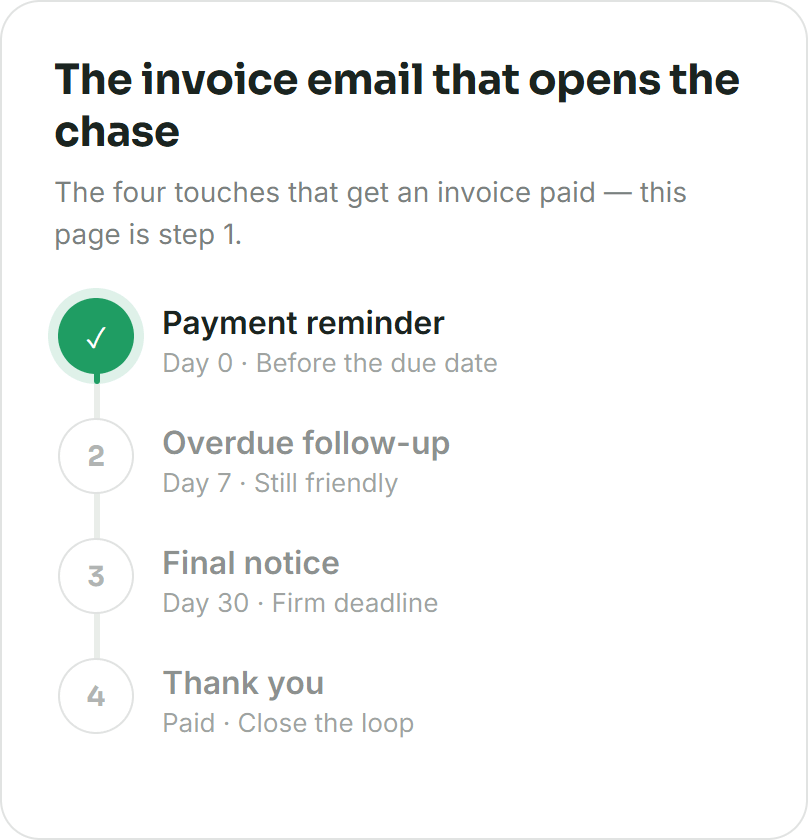
Keep the sequence going: polite payment reminder emails, before-due payment reminder, second payment reminder.
Frequently asked questions
Do I need to email an invoice if my software already sends it?
Yes, if the amount is worth chasing. Software notifications come from a noreply address and typically say only that an invoice exists. Your own email says who it is from, what it covers and when it is due, and it lands in the thread where the work was delivered — which is where payment decisions actually get made.
What subject line gets an invoice opened?
Invoice number, project or your business name, and the due date: “Invoice 2041 — Northside rebrand, due 28 March”. It reads as administrative rather than promotional, and the client can find it again by searching the number later.
Should I attach the invoice or send a payment link?
Attach the PDF and put a payment link in the body. The attachment is what their accounts team files and matches to a PO; the link is what makes paying take ten seconds. A link alone means someone has to log in to pay you, and that is where payments quietly stall.
How soon after finishing the work should I send the invoice?
The same day, ideally within a couple of hours of delivery. An invoice sent while the delivery conversation is still open is processed as part of the project; one sent a week or a month later has to be re-justified, and it is the delay that makes clients ask what it is for.
What do I write if the invoice is late going out?
One line, no apology theatre: “Sorry this is later than it should be — it covers [scope] delivered on [Date].” State the period and the due date and move on. Over-explaining invites a negotiation about the delay instead of the payment.
Before you hit send
- Put the invoice number and the due date in the subject line — that is what a busy client searches for three weeks later.
- Attach the PDF rather than only linking to a portal. A link to a login page is a payment delay.
- Name the file something like Invoice-2041-YourStudio-2400USD.pdf so it survives their downloads folder.
- State the service period or milestone. “For the work” invites a query; “design phase, 3–17 March” does not.
- Lead with one payment method. Five options read as extra admin to whoever processes the payment.
- Copy the person who approves payments, not only the person who hired you.
More free templates
Want it personalized in 30 seconds?
Enter the amount, due date and client name — get a tone-matched draft instantly.